

How to sound amazing on the Yamaha DGX670
In need of some extra help to spice things up a little? Well you’re in the right place, here is all you need to know about how to create a great sound on the DGX670…
We are digital piano & keyboard specialists, based in Banbury, Oxfordshire. Stay up to date with the latest news, reviews, tips, and offers by joining our FREE newsletter (unsubscribe at any time).


First of all, I should mention that I will be basing this on the first voice on the keyboard, the ‘CFX Grand Piano’, a personal favorite of mine to say the least!
So, the good news is that it already sounds great, Yamaha have done a marvelous job on this new DGX series keyboard. It is equipped with Graded Hammer Standard weighted keys, with matt black key tops, as well as 5 different touch responses, key-off samples, and smooth release… However, there is still an endless list of options and settings on top of this to further help you improve and alter the sound to your personal preference, via the settings and voice options on the keyboard.
Let’s take a look at them:
The first place you should check out is the ‘Voice Settings’ option under ‘Menu 1’, which you can find if you click the menu button just under the master wheel. Then use the master wheel to scroll to ‘Voice Settings’, and press enter. From there you can alter things like the depth of the damper resonance, I like to have mine fairly deep, you can also change the string resonance, so how much the strings on the piano will resonate after you play each note.
On top of this, you can even add reverb and chorus! Now for me, this is where the fun begins if you really want to bring out the textures and colors of your piano voice, so I tend to set the reverb option at about 60, and the chorus no higher than 30(if you go higher than 30, there is a noticeable echo).
I find that using these settings options on the ‘CFX Grand Piano’ voice really works wonders for the sound and tone of your instrument, complementing your playing massively.
 Okay, so the next awesome feature you can make the most of, is the ability to ‘layer’ two voices together at once. This can be done simply by pressing the ‘Layer’ button under ‘Part On/Off ’ on the right side of the keyboard.
Once you’ve selected this, use the master wheel to scroll over to your layer voice on the screen, press ‘enter’, and then select what second voice you’d like to have with your first one. I have chosen the ‘Movie Strings’ voice, which can be found on the first page of the ‘Strings and Choir’ voice category.
Once you have selected your ‘Layer’ voice, look just below the screen and you’ll see 8 different columns, click the lower button on the 5th column which will then take you into the ‘Voice Set’ for your layered voice.
From there you can then adjust the volume of your second voice, which will allow you to have the velocity balanced correctly between your two different voices, you can also adjust the depth, so for me in this particular scenario, I would have the depth fairly high on the strings, as this will really add to the intensity of my playing.
You can also adjust the ‘Offset’ which determines how much ‘attack’ the strings have, in other words, if you set it nearer the top, the strings will be powerful and in your face regardless of how soft or hard you press, but if you set the offset level lower down, then they will come in soft and gently. I think it’s best to have this setting set for about mid-way, or just below.
Along with this, you can also decide whether you’d like your layered voice to sound an octave above your main voice, 2 octaves above, or 1 or 2 octaves below, as well as being able to just have it on the exact same note as your main voice too… How fancy!
If you press the ‘tab’ arrow right above the master wheel, then you can also change many other settings too, each of these you can adjust to your personal preference. This includes the EQ and Filter options for your layered instrument, as well as your different effects such as reverb and chorus depth, and also harmony, etc.
Though I tend not to alter these settings too much for my secondary instrument, as it can get very complicated, and I don’t think it is essential unless you really want to explore and go the extra mile with the sound of your voice.
You will also want to save all of these settings once you are done, by pressing the lower button on column 8, which will allow you to save your voice, and then choose what you would like it to be called. I should also mention that you can and will need to do this for your main voice too.
To get both edited voices together again, simply turn the keyboard back on, and select the main voice, then press the upper button on the 8th column which will have the arrow pointing up, and then press the tab option to go onto the ‘User Section’, then select the main voice you saved, and you can also select the layered voice you saved in the exact same way, allowing you to access what you previously created and played with.
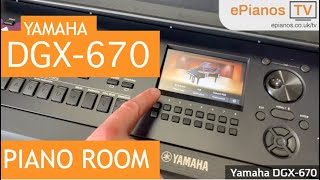
BUT WAIT! There’s more… I’d like to show you one last feature that the DGX670 has built-in which is one of my favourite features to use, and it’s just an outstanding idea too. It’s called the ‘Piano Room’. Essentially this option allows you to ‘enter a room’ as such, and it’s just a nice intimate time between you and a piano/ keyboard of your choice. I should also mention that you are only able to use keyboards for this feature, not any other instrument.
All you have to do is hit the big piano-shaped button that says ‘Piano Room’ on it, to the bottom right of the screen… and you’re in! After this, you can then record your playing, and save those recordings into a folder, which can be great for keeping practice logs and things like that.
 12m
12m
Max takes us through his use of Piano Room on the DGX-670
You can also choose between the 6 different keyboard and piano voices that the DGX670 allows you to choose from in the piano room.
If you decide to play on one of the two grand pianos, then you can choose what position you’d like the lid to be in as well, either closed, half-open, or fully open. Amongst this you can also choose the environment you are playing in, each different room has different types of echo and reverb settings which I think is an awesome feature!
It also has some fantastic 3D images of each room which get displayed on the screen too, to really help you feel like you are there in the room yourself.
Then if you click the lower button on the 8th column, you can choose the settings of the piano, ie; its tuning, the brightness, the touch, and the VRM(which stands for Virtual Resonance Modelling – meaning the sound that resonates throughout the entire body of the instrument).
So there isn’t really a limit to this wonderful ‘Piano Room’ feature, giving you endless amounts of enjoyment and entertainment!
These are all some fantastic features that the DGX670 has built into it to really help you find and achieve the sound you are looking for, and just to have some fun playing around and finding out what sounds you can make!
I hope you have enjoyed this blog all about how to alter and play around with the different voice settings for your DGX670, making the most of your sound, and taking it to the next level!
If you own a Yamaha DGX670 then comment below and let us know what you think of this blog and if it was helpful and informative for you, thanks!
Until next time.
Enter your email address below to receive our free weekly newsletter containing the latest piano, keyboard and organ demonstration videos, breaking news, special offers, invitations to our live video events, technical support articles and much more.



These items are sold on behalf of Yamaha, and are sent to us on a per-order basis, typically within 5-7 working days, unless an ETA is otherwise stated.
We'll contact you the moment your purchase arrives with us to organise delivery, based on your selected option.
Example products: Yamaha DGX670, Yamaha P-525, Yamaha YDP-S55, Yamaha Clavinova.
These items must be sent with a heavy-goods courier (typically APC or FedEx). On occasion, depending on which is fastest, we will drop-ship directly from Yamaha to your address via Dachser.
Tracking will be provided by the haulier, with a typical arrival time of 1-2 working days.
*If you have included the optional £180 "Yamaha Premium Service" home delivery & setup option offered on selected products, we will contact you regarding arrangements after purchase.
**The Yamaha CSP Series, Yamaha CVP905 & CVP909, Yamaha CLP875, 885 & 895GP, and Yamaha NU1Xa are all sold on behalf of Yamaha and arrive with us on a per-order basis. As soon as your piano has arrived, we will contact you to organise the appropriate dispatch method. ETA for stock is shown on the product page for those items.
***If you have included the optional £99 home delivery & setup option offered on selected products, we will send your details direct to the installation team, who will contact you within 48 hours to make arrangements.
Depending on which option is most appropriate, we will either contact you to discuss a bespoke ePianos delivery surcharge for goods we can’t package for a 3rd party courier, or otherwise dispatch goods via FedEx or APC.
If a courier is used, tracking will be provided by them directly, with a typical arrival time of 1-2 working days.
Example products: Yamaha PSR-SX920, Yamaha P-225, Yamaha NP-15.
These items will be sent via courier (typically APC or FedEx). On occasion, depending on which is fastest, we will drop-ship directly from Yamaha to your address via UPS or Parcelforce.
Tracking will be provided by the courier, with a typical arrival time of 1-2 working days.
Smaller items, such as books, discs, etc, will be dispatched via Royal Mail second class.
After purchase, you can download the file either from the order confirmation page or the "Downloads" tab in "My Account".
If you have selected the option to receive a pre-loaded USB stick, then this will be dispatched via Royal Mail.
We will contact you regarding any pre-ordered items, and let you know when they arrive so as to arrange delivery with you at a convenient time.

Used items can also be purchased using either of the following options (minimum loan amount of £250 after deposit):
Total amount payable: £893.32
Available finance options are displayed at checkout. Alternatively, please get in touch and we’ll be happy to discuss the options, or email a finance application to you. Find out more by clicking here

Our seasonal opening hours are as follows:

We are closed on all bank holidays, therefore the processing of sales and deliveries will be delayed.

For orders of any stock displaying a 7-10 day lead time, we will contact you as soon as the item arrives with us to schedule a delivery with you.
Occasionally, there may be availability issues with our suppliers, in which case we'll get in touch with you to see if you're happy to wait, or if you'd like to cancel the order and receive a full refund.
This is a special order "agency" item, and comes to us directly from Yamaha on a per-order basis.
It typically takes 7-10 days for this item to arrive with us, whereupon we'll contact you to discuss the arrangement of delivery.
For any pre-orders, we will contact you as soon as the item arrives with us to schedule a delivery with you, and update you with an ETA.
Occasionally, there may be availability issues with our suppliers, in which case we'll get in touch with you to see if you're happy to wait, or if you'd like to cancel the order and receive a full refund.

*Cashback amount varies product to product, as indicated.

Comments:
Very interesting as I have just bought a DGX-670 and am trying to get to grips with its complexities. A lot of it is quite intuitive, but what you explained in your Blog gives another angle. I will try your suggestions and see how it changes the sounds. Obviously, this technique can be used on all voices to some extent, with greater or lesser effect.
Another thing I would be interested in is an explanation of the ‘Playlist’ function and what you can do with it.
Can you discuss the editing of effects. I am particularly interested in knowing if the Leslie effect can be modified for example to slow the rise time to full speed. The stock sounds on all of the s.art organs is OK, but the Leslie sim is way too dramatic compared to reality. Unfortunately with only a headphone out, you cannot use after market effects such as the vent to produce a very realistic Leslie sim.
Would like to see someone using the ASIO driver in a DAW.
Works great !
Thanks Max for sharing your Yamaha DGX670 setup as this is a great help to those of us who are new to arranger keyboards. I would like to know how to record a Smart Chord Fingering Style so I could free up my left hand to play a left hand melody while being able to play back the recorded Style?
Also, there is only one Arpeggio Style in Pianist on the DGX670 so I would like to know how to be able to add more Arpeggio Styles to the keyboard?
I look forward to your responses and thank you in advance.
Sincerely,
KeyboardBob
Very useful and interesting info. Many thanks ! Jeff
Very helpful. I find the default piano room default setting for the CFX grand to be much better than either (VRM or natural) of the CFX selections from the voices menu. I suppose the default piano room setting has tuned the CFX (clear and bright) where the voices menu CFX is not at all enhanced (hence it is rather dull, muffled, etc.).